
In industrial automation,few terms cause as much confusion as“HMI”and“touch screen.”Walk onto any factory floor,and you’ll hear operators use these words interchangeably—pointing at the same glowing panel and calling it either name.
But are they really the same thing?The short answer is no.While they are closely related,understanding the difference between a human-machine interface(HMI)and a touch screen is essential for making the right purchasing and engineering decisions.
What Is a Touch Screen?
A touch screen is a hardware component—a physical input device mounted in front of a display that allows users to interact by touching the screen.It replaces the functions of a mouse and keyboard,enabling direct manipulation through fingers or a stylus.
Think of a touch screen as a piece of transparent glass that responds to touch.It’s the same technology found in smartphones,bank kiosks,restaurant ordering systems,and tablets.By itself,a touch screen has no intelligence—it doesn’t know what machine it’s connected to,what a button press should do,or which motor should start when you tap an icon.
Key characteristics of a touch screen:
- Purely a hardware input device
- No built-in software or logic
- Requires connection to a processor or system to function
- Common types:resistive,capacitive,surface acoustic wave
What Is an HMI(Human-Machine Interface)?
An HMI,or Human-Machine Interface,is a complete system that includes both hardware and software,designed to enable communication between humans and machines.
An HMI typically consists of:
- Hardware:A display(often a touch screen),processor,memory,communication interfaces
- Software:A system operating system running on the device,plus configuration software used to design the interface
The HMI processes data from industrial equipment—such as PLCs,variable frequency drives,temperature controllers,and data acquisition modules—and presents it to operators through visual dashboards with graphs,charts,alarms,and digital indicators.Operators can then send commands back to the machinery through the interface.
In other words,a touch screen is just the“face”of an HMI;the HMI is the entire“brain and nervous system”behind it.A bare touch screen becomes an HMI only after configuration,communication setup,and logic programming are added.
Key characteristics of an HMI:
- A complete hardware-software system
- Includes communication protocols to talk to PLCs and other equipment
- Requires configuration to define logic,screens,and data mapping
- Can include non-touch input methods:keyboards,buttons,mice,voice control
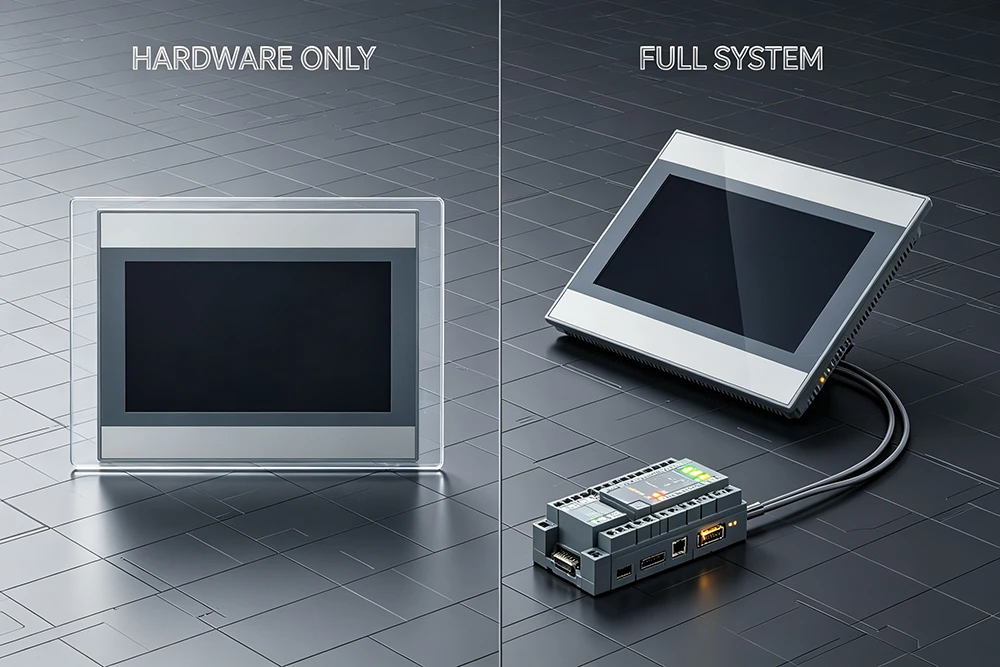
The Core Difference at a Glance
| Aspect | Touch Screen | HMI |
|---|---|---|
| Definition | A hardware input device | A complete human-machine interaction system |
| Components | Display + touch sensor only | Hardware + software + communication + configuration |
| Intelligence | None — just an input method | Full processing and logic capabilities |
| Requires Configuration | No | Yes — needs screen design and logic programming |
| Can Operate Alone | No | Yes — connects to and controls equipment |
| Input Methods | Touch only | Touch, keys, mouse, voice, gestures, etc. |
Application Scenarios:Where Each Is Used
When You Need a Touch Screen(Hardware Only)
A standalone touch screen is rarely the end product in industrial settings.However,touch screen components are used in:
- Consumer electronics:Smartphones,tablets,ATMs,point-of-sale systems
- Simple display panels:Where the screen only shows information without controlling machinery
- OEM integration:As a component built into larger systems by equipment manufacturers
When You Need an HMI(Complete System)
HMIs are essential in environments where humans need to monitor,control,and interact with industrial equipment:
- Industrial automation:Monitoring and controlling production lines,machinery,and factory processes
- Manufacturing:Operating robotic cells,conveyor systems,packaging lines
- Process control:Managing temperature,pressure,flow in chemical or food processing
- Energy and utilities:Monitoring power generation and distribution systems
- Building automation:HVAC,lighting,and access control systems
HMIs display operational data,manage alarms,connect with SCADA and ERP systems,and allow operators to adjust parameters in real-time.

Why the Confusion Persists
In industrial settings,most HMIs do come with a touch screen as the primary input method.The screen is what operators see and touch every day,so“touch screen”naturally becomes shorthand for the entire HMI unit in casual conversation.
The problem arises when precision matters.In technical proposals,procurement discussions,or engineering specifications,confusing the two can lead to serious mismatches:
You might order just a touch screen when you actually need a fully configured HMI
You might expect configuration software and communication setup to be included—but they aren’t
Choosing the Right HMI:Why Voltruc Stands Out
When selecting an HMI for your industrial application,you need a solution that combines robust hardware,flexible software,and seamless integration with your existing equipment.This is where Voltruc HMI delivers exceptional value.
Multiple Size Options for Every Application
Voltruc offers HMI panels in a wide range of screen sizes,ensuring you can find the perfect fit for your specific use case—whether you need a compact display for a small machine or a large screen for a complex production line overview.Different screen sizes accommodate different numbers of keys,status indicators,and visual complexity,and Voltruc’s diverse lineup gives you the flexibility to choose what works best for your operators.
Broad PLC Compatibility
One of the biggest challenges in industrial automation is getting different brands of equipment to talk to each other.Voltruc HMIs are designed with extensive PLC compatibility,supporting communication with a wide variety of programmable logic controllers from major manufacturers.
This broad compatibility means you don’t have to standardize on a single PLC brand to use Voltruc HMIs.Whether your facility uses Siemens,Allen-Bradley,Mitsubishi,or other popular PLCs,Voltruc HMIs can integrate seamlessly into your existing control architecture.Universal HMI products typically provide a large selection of commonly used device communication drivers,and Voltruc follows this best practice to ensure hassle-free connectivity.

Built for Industrial Environments
Voltruc HMIs are engineered with the durability and reliability that industrial applications demand.From dust-and moisture-resistant front panels to robust processors capable of handling real-time data processing,these HMIs are built to perform in challenging factory conditions.
Conclusion
The distinction between an HMI and a touch screen is clear once you understand it:a touch screen is a hardware component;an HMI is a complete hardware-software system that enables meaningful human-machine interaction.
While a touch screen is just an input method,an HMI processes data,communicates with PLCs and other equipment,displays critical information,and allows operators to control complex industrial processes.
When you’re ready to choose an HMI for your next project,consider Voltruc—with multiple size options to suit any application and broad PLC compatibility that simplifies integration into your existing systems.Voltruc HMIs deliver the performance,flexibility,and reliability you need to keep your operations running smoothly.